
Automatic tracking with CarPlay
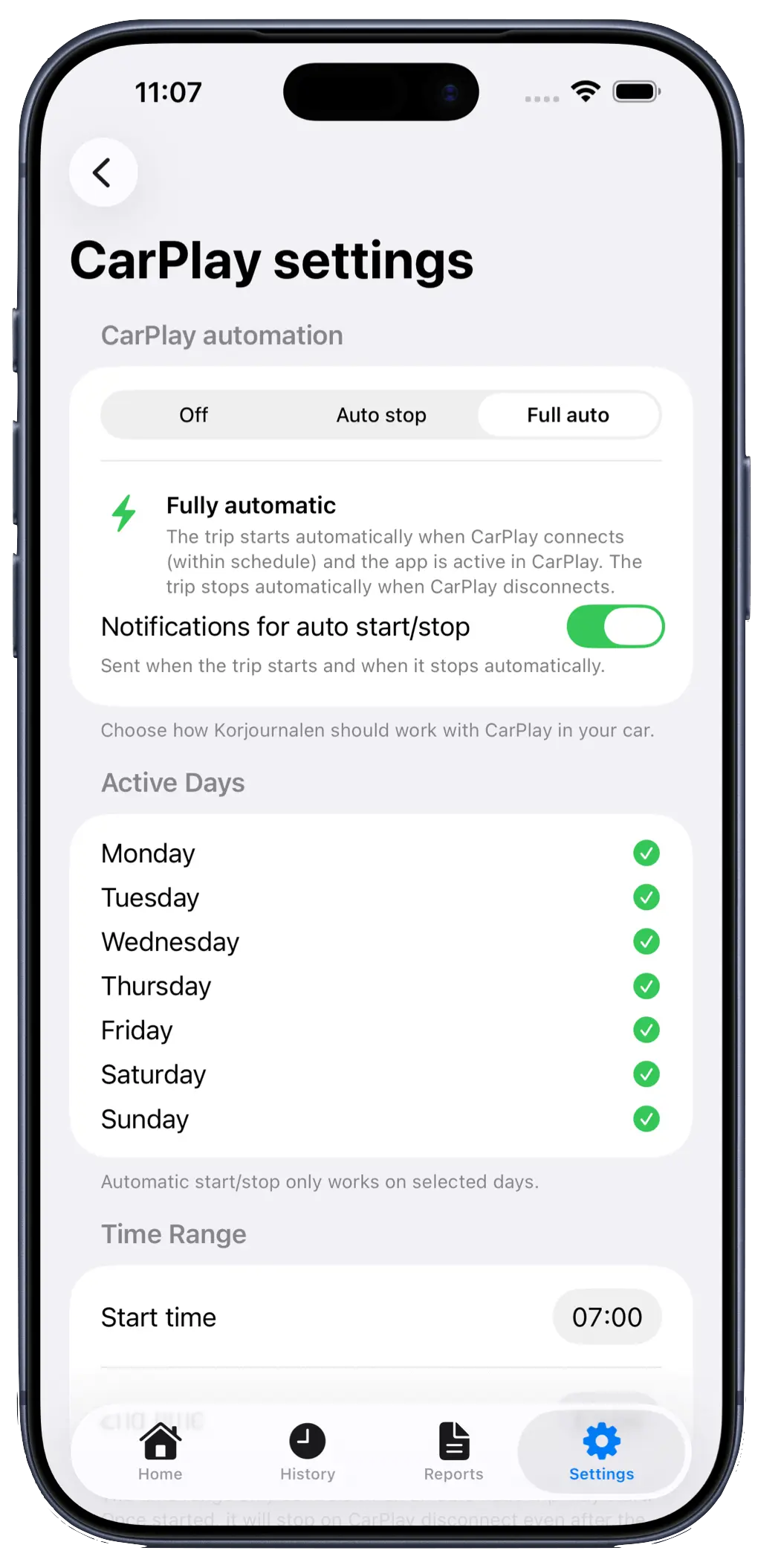
AutoStop requires manual start but stops when CarPlay disconnects. Full Auto starts and stops automatically on schedule (PRO).
Mileage Journal reliably logs GPS trips, supports multiple companies, drivers, and vehicles, and lets you tag trips with projects/project numbers. Export polished PDF or CSV reports whenever you need them.
Data is stored locally and syncs securely via iCloud.
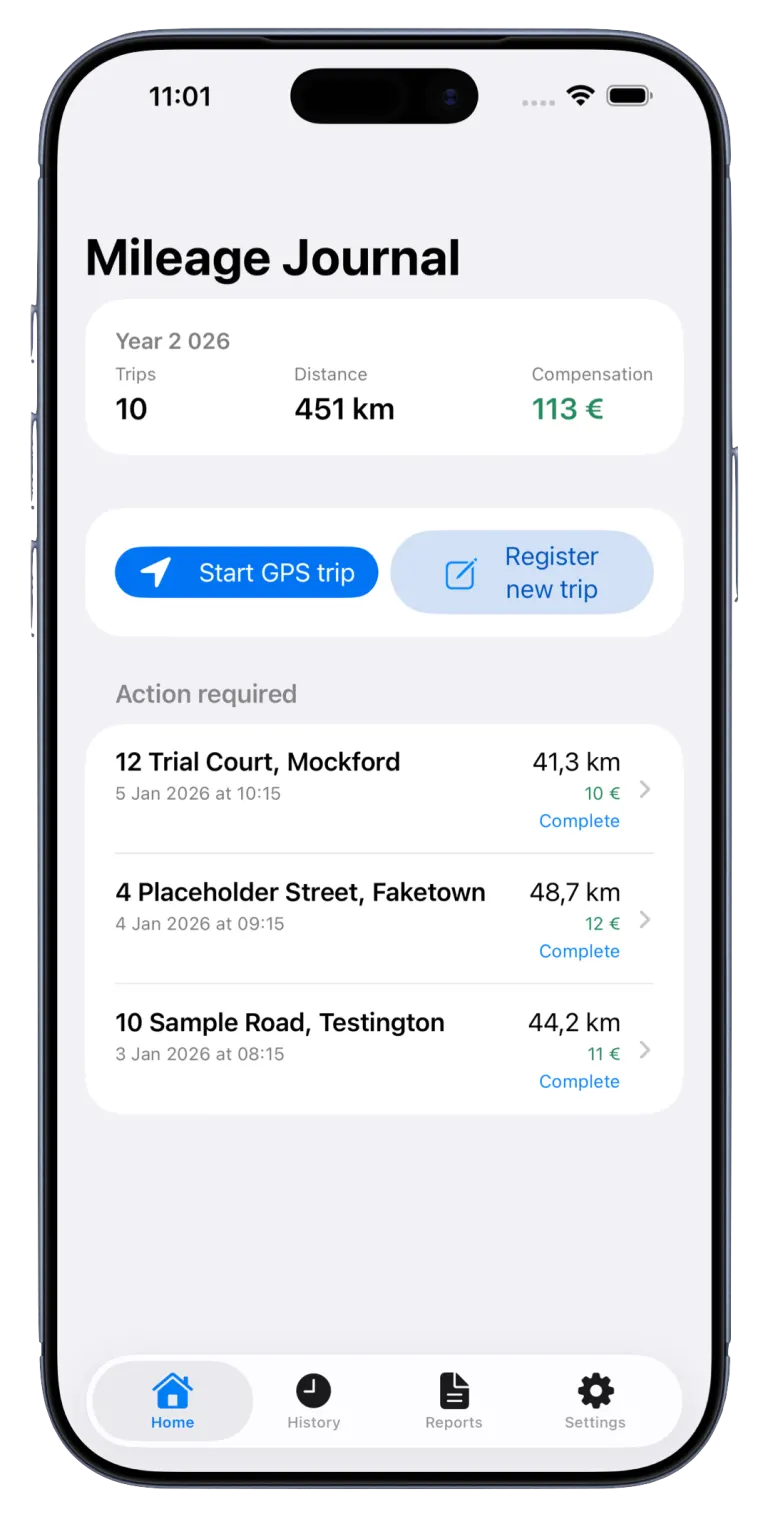
Built for teams and professionals who need a simple, accurate, and auditable mileage log.
AutoStop requires manual start but stops when CarPlay disconnects. Full Auto starts and stops automatically on schedule (PRO).
Switch quickly between drivers, vehicles, and companies. Everything stays organized in one app.
Assign each trip to a project or project number for clear cost tracking.
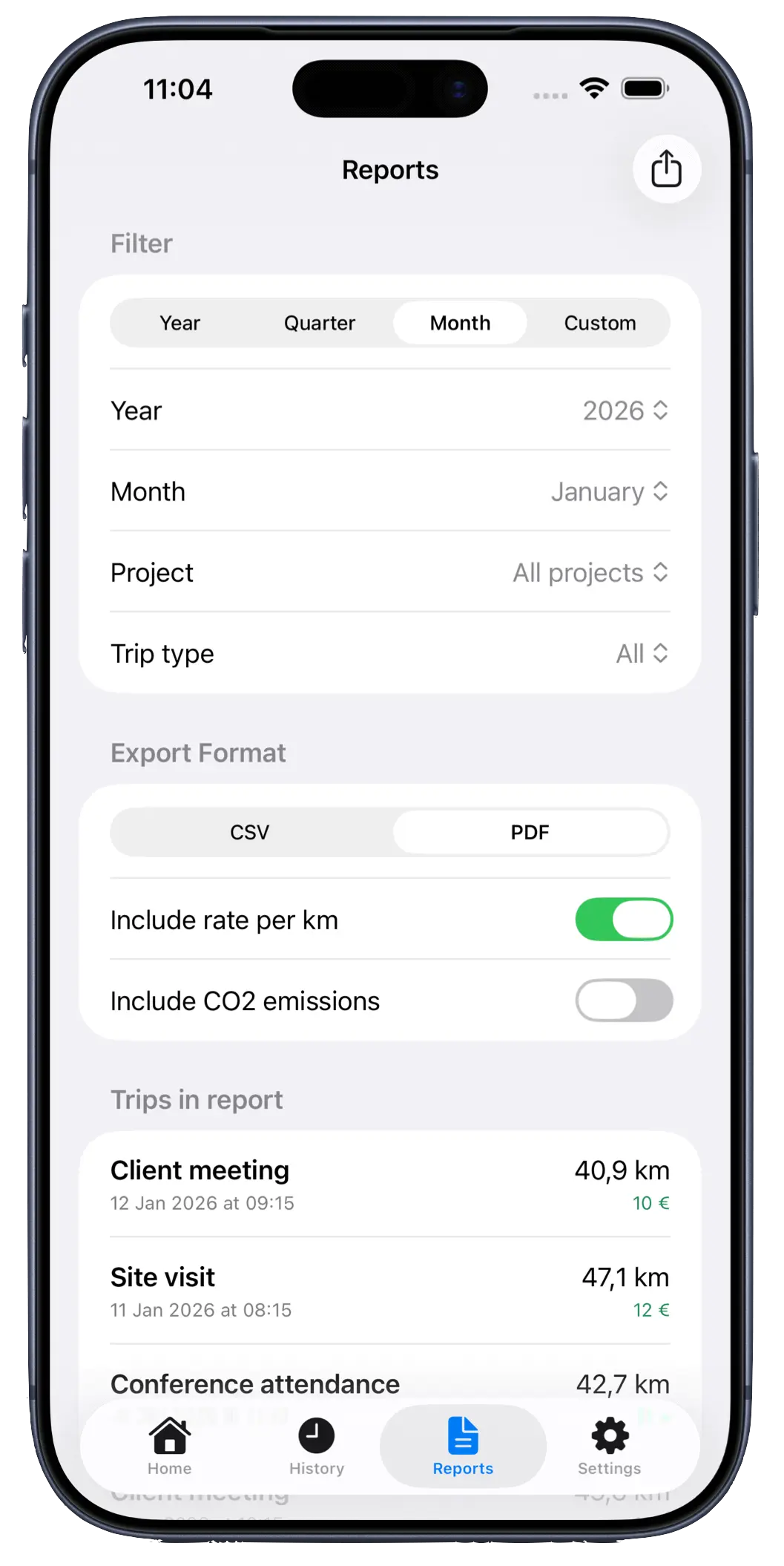
Filter by date, company, driver, vehicle, or project and export instantly.
Swedish, English, German, Danish, Norwegian (Bokmål), Finnish, Dutch, Polish.
Choose a period and export format. PDF reports can include odometer, reimbursement, and CO₂ data.
Find exactly the trips you need to report.
Perfect for finance tools or client reporting.
Get a clear view of impact and mileage compensation.
Mileage Journal uses no third-party analytics. All data stays on your device and syncs securely via iCloud.
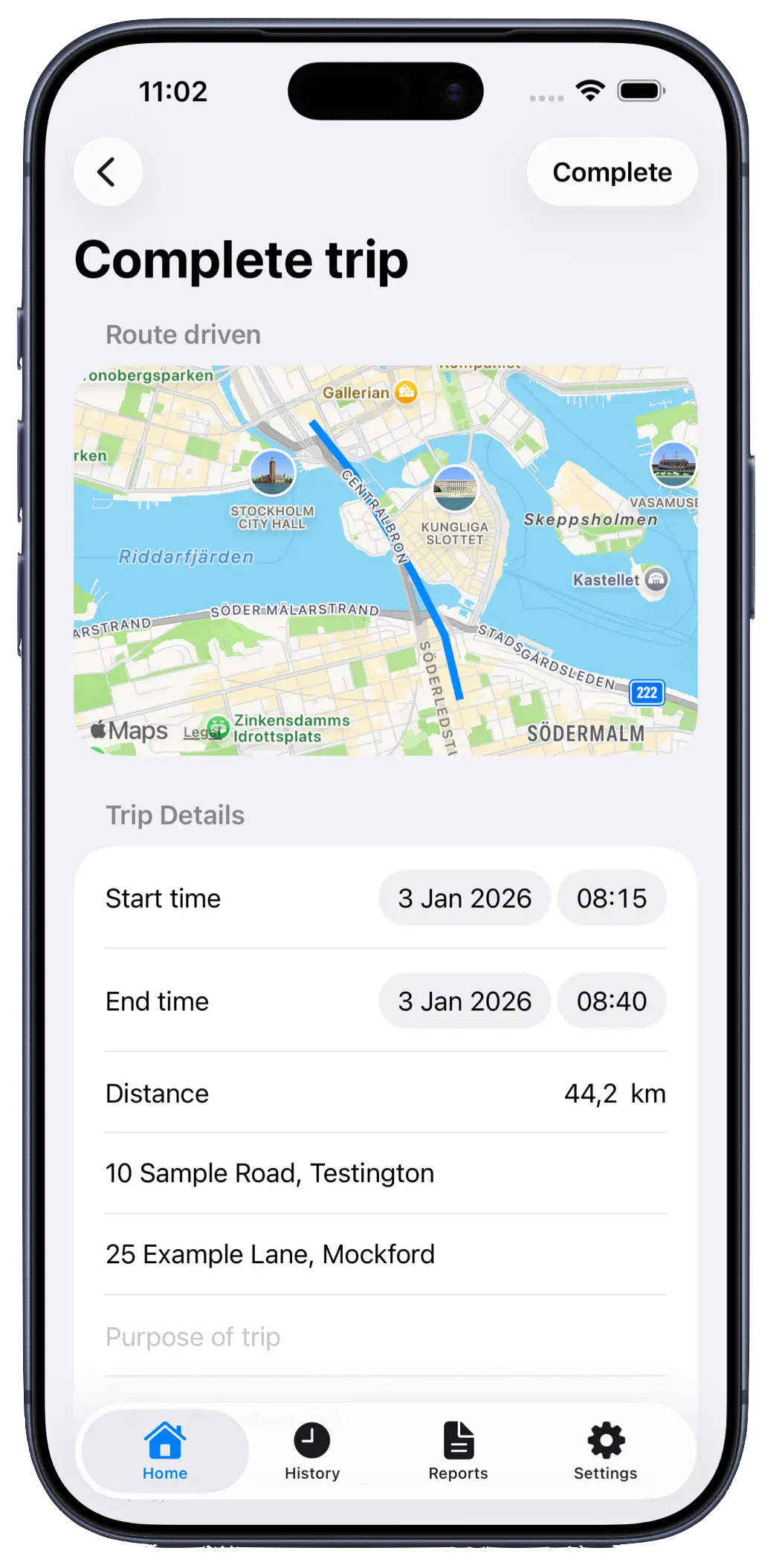
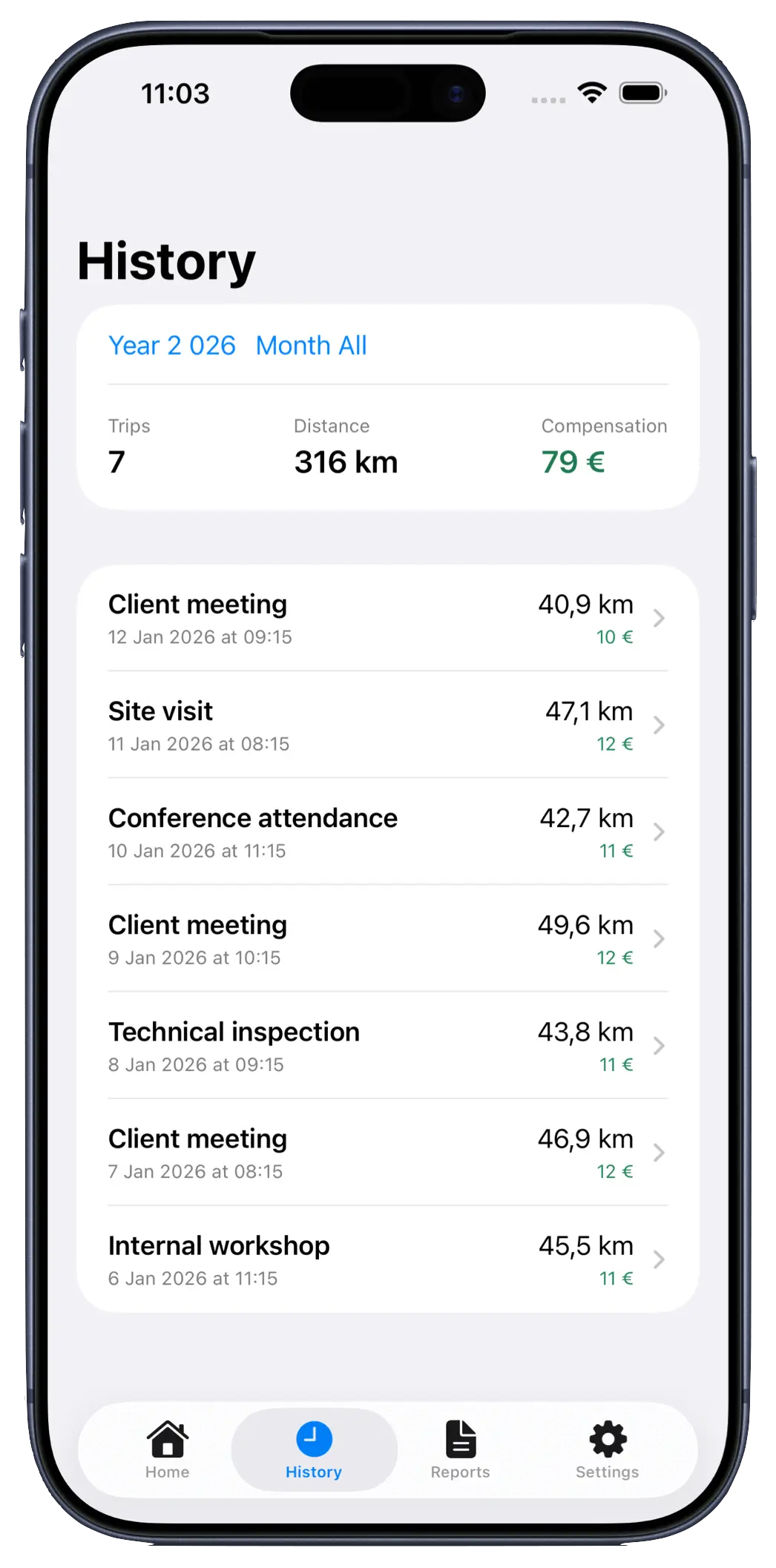
The free tier covers occasional use. PRO unlocks unlimited trips and automation.
For trying it out.
One-time in-app purchase: $7.99.
Mileage Journal is an iOS app that records trips and helps you create accurate mileage logs with PDF and CSV exports.
Yes, you can export your mileage log as a PDF and print or share it directly.
It depends on your reporting needs and local rules. The app supports odometer readings to make reports more complete.
Yes, you can export data to CSV for use in tools like Excel or accounting systems.
Yes, the app supports multiple drivers, vehicles, and companies.
Yes, you can tag trips with project names or project numbers for easier tracking and reporting.
Yes, the app includes CarPlay-related features for smoother in-car use.
Data is stored locally on your device and syncs to your own iCloud account. We do not have access to your data.
Yes, you can track both business and private trips and keep them clearly separated.
The app is designed to support common mileage log requirements, including key trip details and documentation fields. You are always responsible for ensuring your records are complete and compliant with the rules that apply to you.
Get started in minutes. Download Mileage Journal and create your first report today.
Built to scale with multiple companies, vehicles and drivers.
* It is your responsibility to ensure reporting meets current regulations.